
New on Vidrush · Claude Opus 5.5
AI Motion Graphics for YouTube, Shorts and launches
Describe the video, pick a look, and Claude animates it in code: every title, logo and chart stays crisp, with narration, music and subtitles mixed in. No footage to find, no keyframes to set.
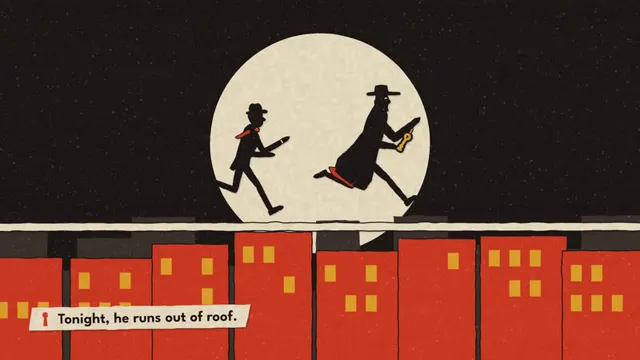
Pick a look
Each look comes with a sample video made entirely in code. Your video keeps the look and tells your story.
Looks and sample videos by LemoLab × Claude Opus 5.5 (CC BY 4.0). Lemo-Opuscar on GitHub
From idea to finished video in four steps
No editor, no timeline. You write what the video should say; Claude designs, animates and mixes it.
Pick a look
Play the sample videos and choose one of 39 looks: kinetic type, dark tech, pixel art, watercolor, paper cut and more.
Describe your video
What it is about, who watches it, how long it runs and 16:9 or 9:16. Add your logo or product shots if you have them.
Claude animates it in code
It writes the animation, renders every frame, records the voice-over, composes the music and mixes it all. Watch each step live.
Download or tweak
Get an MP4 with subtitles and a thumbnail. Want a change? Say it in one line and only that part is redone.
Made for people who publish video every week
When you need polished animation more often than you can hire a motion designer.
YouTubers
Channel intros, chapter cards, animated explainers and end screens that match your channel's look.
Shorts, TikTok and Reels creators
Vertical 9:16 videos with big captions and fast pacing, built to stop the scroll.
Founders and marketers
Launch videos, feature announcements and ads that spell your product name right every time.
Course creators and educators
Lessons explained one idea at a time, with narration and subtitles for silent viewing.
Faceless channels
Countdowns, facts and stories with a consistent animated style, no camera or presenter needed.
Agencies and freelancers
Quick style frames and finished animatics to pitch or deliver, in 39 art directions.
Motion graphics vs AI-generated video
Vidrush has both. Here is when to use which.
| AI Motion Graphics | AI video generation | |
|---|---|---|
| What it makes | Designed animation: titles, icons, charts, illustrated characters | Footage that looks filmed: people, places, products |
| How it works | Claude writes animation code and renders every frame | A video model predicts each clip from your prompt |
| Words and numbers on screen | Always spelled and drawn correctly | Often garbled or misspelled |
| Consistency | Same characters, colors and fonts in every shot | Faces and details can change between clips |
| Audio | Voice-over, original music, sound effects and subtitles included | Usually needs separate audio |
| Editing | Change one line or color; the rest stays | Regenerate the clip and hope it matches |
| Time | About 30–60 minutes per video | Seconds to minutes per clip |
| Best for | Intros, explainers, launches, countdowns, data stories | Cinematic b-roll, realistic scenes, visual effects |
AI Motion Graphics questions
Still curious? Email support@vidrush-ai.com.
What does Vidrush AI Motion Graphics make?
Finished motion graphics videos: animated titles, illustrations, charts and characters, with voice-over, music, sound effects and subtitles. You get an MP4 plus an .srt file and a thumbnail.
Is it the same as AI video generation?
No. AI video generation predicts realistic footage with a video model. AI Motion Graphics has Claude Opus 5.5 write the animation as code and render every frame, so text, logos and numbers are exact and the style stays consistent. Use both: motion graphics for explainers and titles, AI video for realistic scenes.
Can I make vertical videos for Shorts, TikTok and Reels?
Yes. Choose 9:16 before you start and the whole video is laid out for a phone screen, not cropped from a landscape edit.
How long does it take?
Usually 30 to 60 minutes. Claude designs, animates, records the voice and mixes the audio, and you can follow every step. You can close the tab; the project keeps going.
How are credits charged?
A small start fee, then model usage as the video is made, shown in the project as it happens. If your balance runs out, the video pauses and you can continue after topping up. Nothing already made is lost.
Can I use my own logo and brand colors?
Yes. Attach your logo or product images and mention your colors or fonts in the brief.
What languages can the voice-over use?
English or Chinese, with matching subtitles.
Can I use the videos commercially?
Yes. Your videos carry no watermark. The looks come from Lemo-Opuscar by LemoLab (CC BY 4.0); your video tells your own story in that style.
Your next intro, explainer or launch video, animated in code
Pick a look, write a few lines and let Claude Opus 5.5 do the motion design.